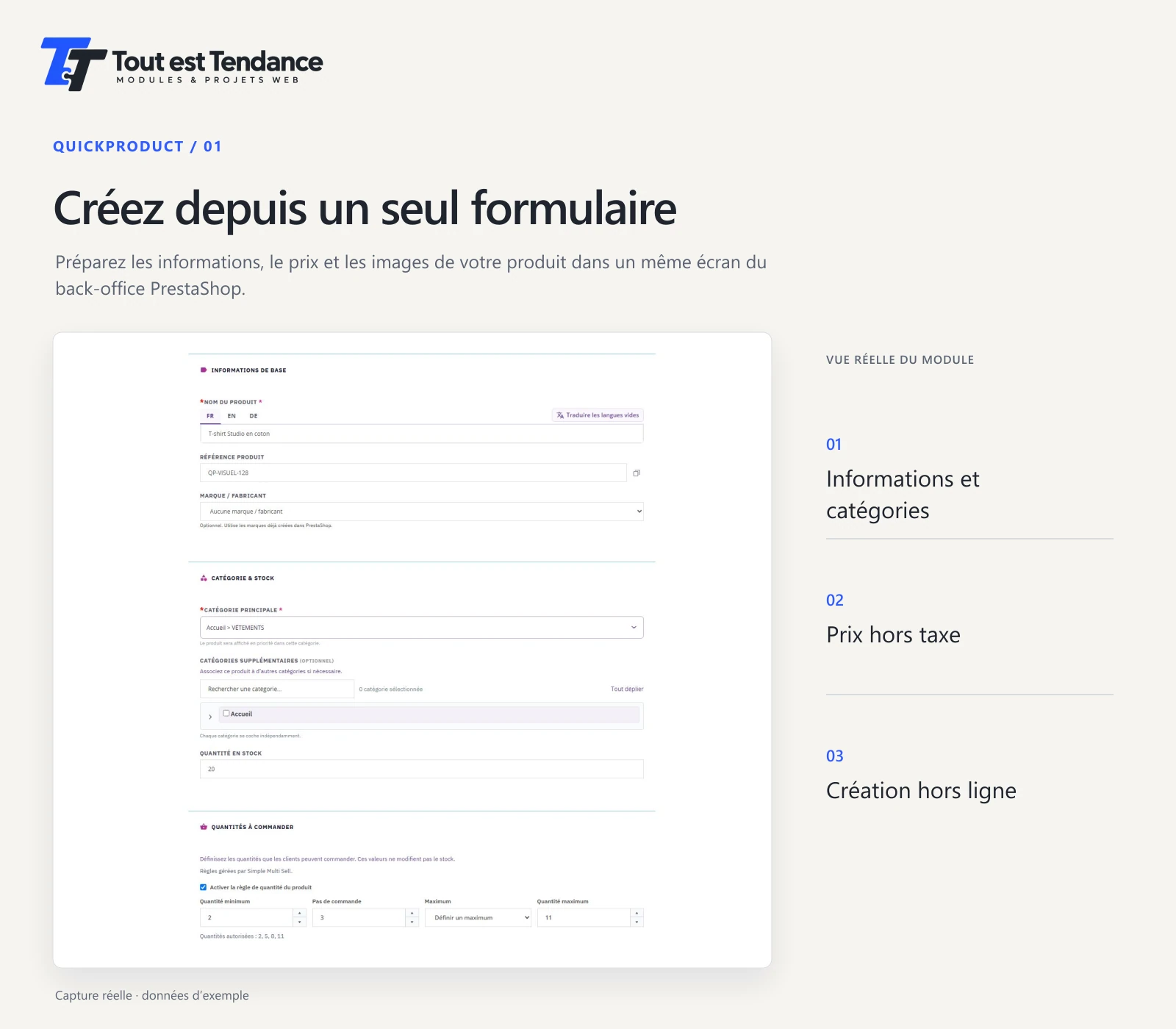
Create and edit in one form.
Enter the product information, category, reference and tax-exclusive price. You can also find an existing product by name, reference or ID to edit the original.
Select the image to enlarge it.

Module for PrestaShop

Your product pages,
on one screen.
Create and edit products in a form that brings together information, prices, images and combinations. Then review the summary before saving.
Available in our store

The video
A silent introduction made from real module screenshots, using sample data. The screenshots on this page show the French interface.
01 The features
Prepare a product’s content and combinations, choose its images and check the values before the final confirmation.
Enter the product information, category, reference and tax-exclusive price. You can also find an existing product by name, reference or ID to edit the original.
Select the image to enlarge it.
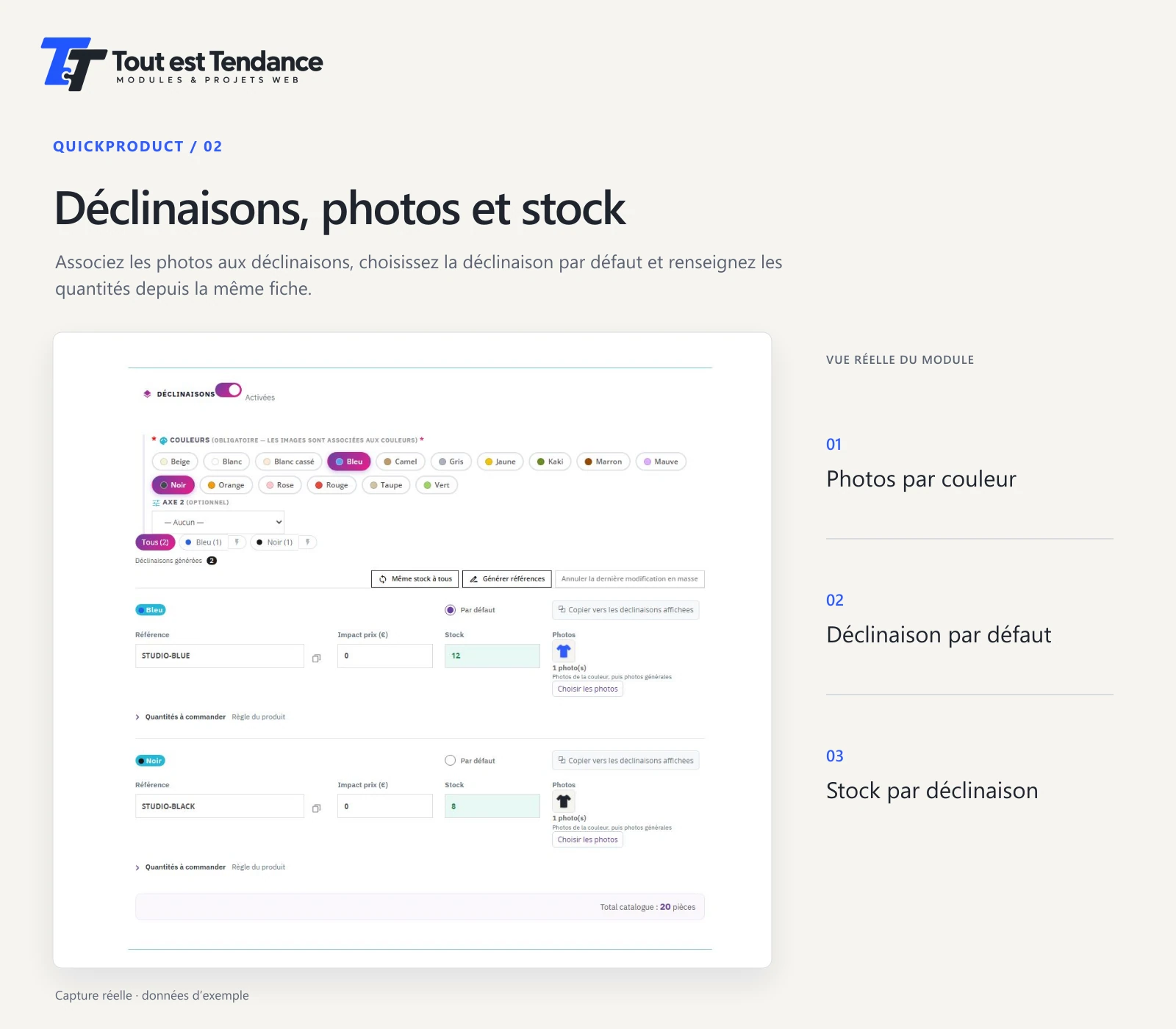
Prepare combinations, link their photos by colour and choose the default combination. Each row shows its reference, price impact and stock.
Select the image to enlarge it.
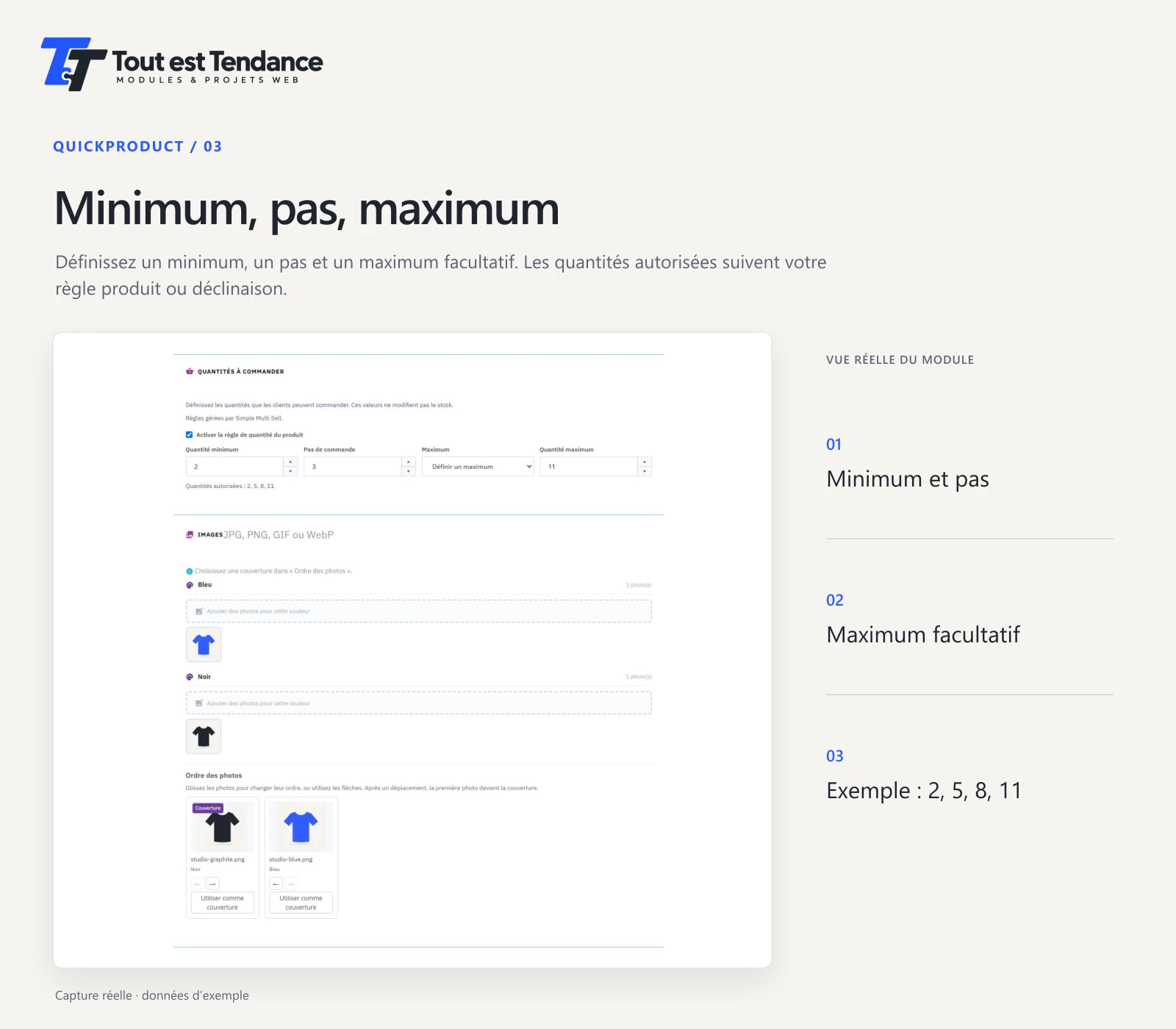
Set a product rule or an exception for a combination. For example, a minimum of 2 and a step of 3 allow quantities of 2, 5, 8 and 11, up to the chosen maximum.
If Simple Multi Sell is active, it remains in charge of quantities. Storefront behaviour must be checked with the installed theme and modules.
Select the image to enlarge it.
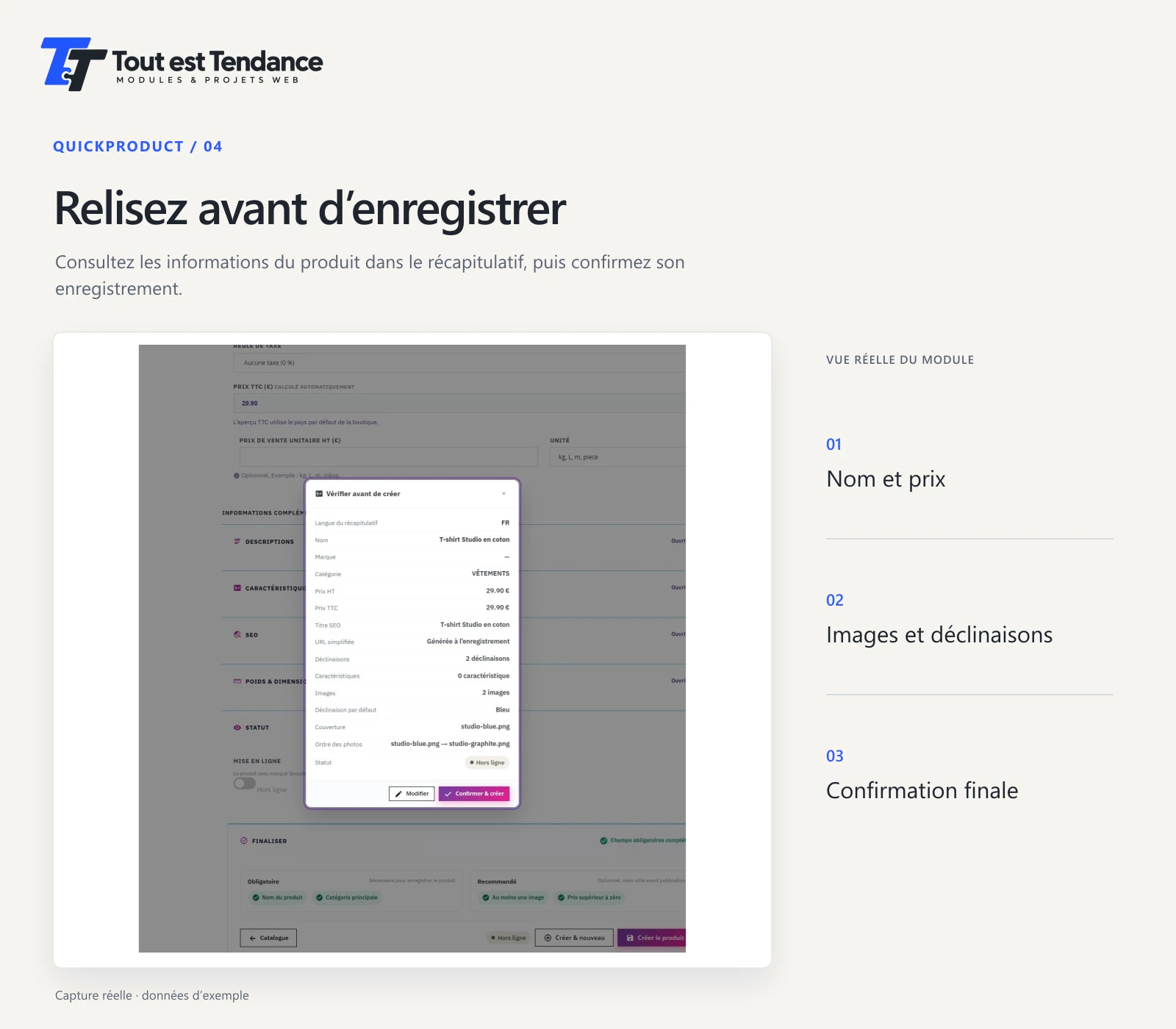
Review the name in the displayed language, the price, images and combinations. Return to the form if a value needs adjusting, then confirm the save.
Select the image to enlarge it.
02 Getting started
QuickProduct runs in the PrestaShop administration area. Employee permissions control access to product creation and editing.
New products start offline. You can reopen their page to check text, photos, prices and stock before deciding to publish them.
The module declares compatibility with PrestaShop 8.2.3 to 9.2.0. Compatibility with your PHP version, theme and other modules must be checked on a copy of your store before use.
Direct sales
Direct purchases from Tout est Tendance are reserved for professionals in metropolitan France, including sole traders and French microentrepreneurs. The catalogue is public. Ordering requires the business identity, a SIREN or SIRET, its billing address and a professional-use declaration. The process checks that the business exists and allows direct purchase after checks and payment, without prior manual approval of the account.
€97.99 net payable for these sales covered by the seller’s French VAT exemption. VAT not applicable under Article 293 B of the French General Tax Code. Sales to French overseas departments, regions and collectivities (DROM/COM) and other countries are not open.
The purchase includes QuickProduct 1.2.28 and 12 months of commercial support and access to new functional versions released during that period. Renewal of these services is optional: €28 total payable for 12 months on the same VAT basis for those French sales, with a separate request and payment, without automatic charging.
Support starts at purchase, by email at info@toutesttendance.com. The response time is 24 to 48 hours. Renewal remains handled manually by email.
The installed module remains usable after these services end. You retain access to the ZIP file of the purchased version, without an expiry tied to the support period. That ZIP remains the purchased version; access to later functional versions depends on commercial coverage. Your right to use the purchased version does not expire with support.
The 12-month commercial period does not reduce statutory guarantees and remedies applicable to business sales or the seller’s legal or contractual obligations. QuickProduct code is distributed under AFL-3.0; these terms do not reduce the rights granted by that licence.
The Tout est Tendance store is open to professionals in metropolitan France. Purchases on PrestaShop Marketplace follow the terms and price shown on its product page.
03 Key information
This page presents the features and screens of QuickProduct 1.2.28, available in our store and on PrestaShop Marketplace.
Yes, you can buy QuickProduct in our store if you are a professional in metropolitan France. The module is also available on PrestaShop Marketplace under the terms shown on its product page.
The form covers standard products and products with combinations. For packs and virtual products, use the native PrestaShop editor.
The fields let you prepare the minimum, order step and optional maximum for a product or a combination. When Simple Multi Sell is active, it remains the sole quantity manager. Test with your store and theme before use.
The module includes French and English guides. They cover installation, configuration, features, troubleshooting and limitations to check.
04 Contact
For a purchase on PrestaShop Marketplace, use its messaging service. For questions before a direct purchase, email your PrestaShop version and what you need. For website creation, a redesign or custom development, use the French project form.